FlutterFlow Pricing 2026: Plans, Per-Seat Costs, Hidden Fees and Which Plan to Choose
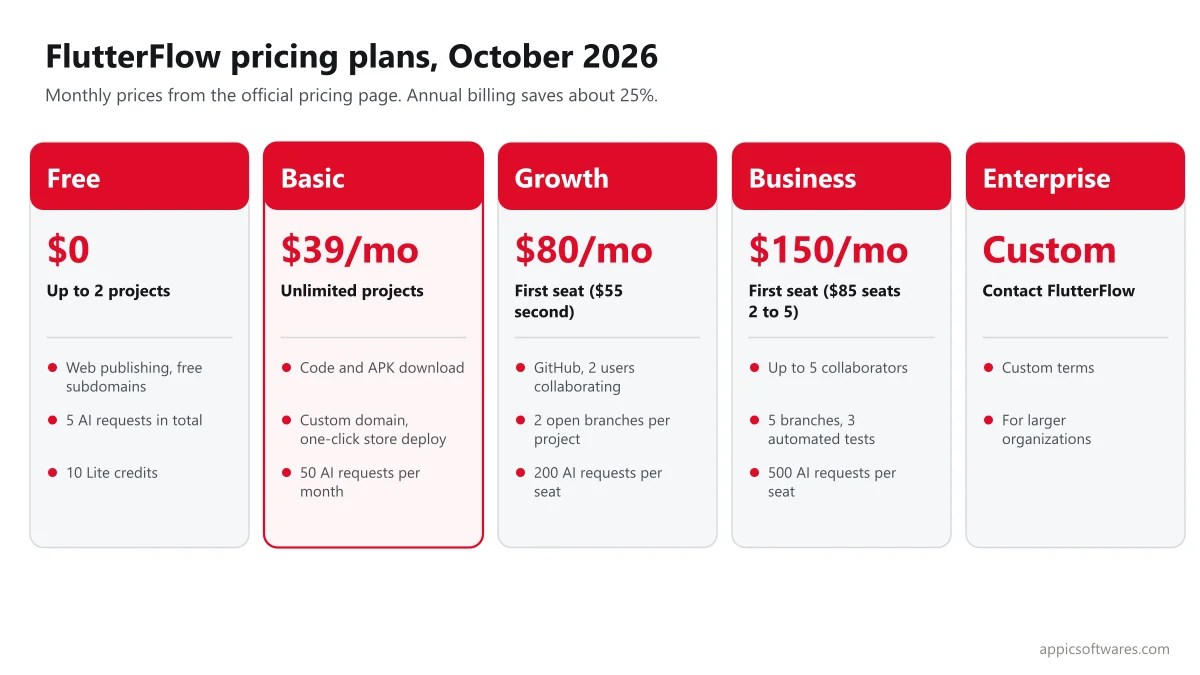
FlutterFlow has four public plans in 2026: Free at $0, Basic at $39 per month, Growth at $80 per month for the first seat ($55 for the second) and Business at $150 per month for the first seat ($85 for seats 2 to 5), plus custom Enterprise pricing. The prices below are the monthly prices on FlutterFlow's pricing page in October 2026, which also says annual billing saves about 25%. The plan names and prices changed, so older guides that list Standard, Pro and Teams are out of date.
Key Takeaways
- Free lets you build and publish to the web on a FlutterFlow subdomain, with limits of 2 projects and 5 AI requests in total.
- Basic ($39 per month) is the first plan that gives unlimited projects, code download, APK download, a custom domain and one-click app store deployment.
- Growth and Business are priced per seat. Growth adds GitHub, real-time collaboration for 2 users and more. Business supports up to 5 collaborators and adds branches, automated tests and more.
- The plan is only part of the cost. Plan for Apple's $99 per year developer fee, a Google Play fee, backend usage (Firebase or Supabase), APIs, design and maintenance.
- Always check the official pricing page before you buy, because plans, limits and prices change.
How much does FlutterFlow cost in 2026?
| Plan | Price (monthly billing) | Main inclusions and limits |
| Free | $0 | Up to 2 projects, 10 Lite credits, 5 AI requests in total, API and data integration, web publishing on up to 2 free subdomains |
| Basic | $39 per month | Unlimited projects, code download, APK download, custom domain web publishing, test on local devices, one-click app store deployment, Test Pilot, 100 Lite credits and 50 AI requests per month |
| Growth | $80 per month for the first seat, $55 for the second seat | Everything in Basic, plus GitHub integration, real-time collaboration for 2 users, 2 open branches per project, one-click localization, Swagger and OpenAPI imports, VS Code extension, 200 Lite credits and 200 AI requests per month per seat |
| Business | $150 per month for the first seat, $85 for seats 2 to 5 | Everything in Growth, plus collaboration for up to 5 users, 5 open branches per project, up to 3 automated tests, Figma frame import, custom typography, CLI access, 400 Lite credits and 500 AI requests per month per seat |
| Enterprise | Custom | Contact FlutterFlow for terms |
Source: FlutterFlow pricing. The page shows monthly prices and says "Annual Billing (Save ~25%)" without listing the annual amounts. It does not mention a free trial. Paid plans include up to 20 free subdomains, with one custom domain included and more available to buy, and automated snapshot backups that range from the last hour on Basic to the last 7 days on Business.
Why do older FlutterFlow pricing guides show different prices?
FlutterFlow renamed its plans. Earlier guides, including an earlier version of this one, listed Free, Standard ($30), Pro ($70) and Teams ($70). The current page lists Free, Basic, Growth and Business. One third-party tracker reports that Basic rose from $30 to $39 and the first Growth seat from $70 to $80 in 2026, but we could not confirm the exact change dates, so treat those details with care. If a guide mentions Standard, Pro or Teams, check it against the official page.
Which FlutterFlow plan do you need?
| Your situation | Likely plan | Why |
| Learning FlutterFlow or building a throwaway prototype | Free | 2 projects and web preview are enough to test an idea |
| Solo founder launching a first app or MVP | Basic | Code download, APK download, custom domain and one-click store deployment |
| Two people building together, wanting GitHub and branches | Growth | Real-time collaboration for 2 users, GitHub, localization and API imports |
| Team of three to five with testing and code review needs | Business | Up to 5 collaborators, more branches, automated tests, CLI |
| Larger organization with security or contract needs | Enterprise | Custom terms |
What does a team actually pay per month?
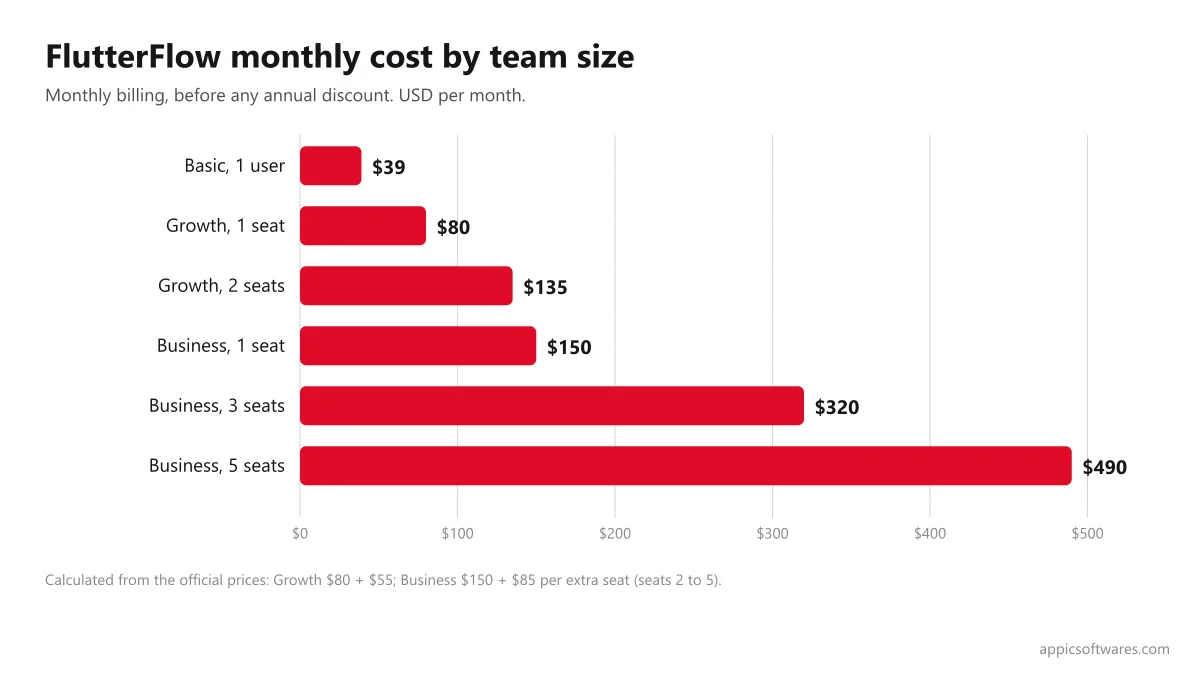
These are examples calculated from the monthly prices above, before any annual discount. Growth supports 2 collaborators, and Business supports up to 5.
| Setup | Calculation | Monthly cost |
| Basic, 1 user | $39 | $39 |
| Growth, 1 seat | $80 | $80 |
| Growth, 2 seats | $80 + $55 | $135 |
| Business, 1 seat | $150 | $150 |
| Business, 3 seats | $150 + 2 x $85 | $320 |
| Business, 5 seats | $150 + 4 x $85 | $490 |
Not sure if FlutterFlow fits your app? Tell us what you are building and we will say honestly if it is the right tool. Get your project scoped
What are the hidden costs of a FlutterFlow app?
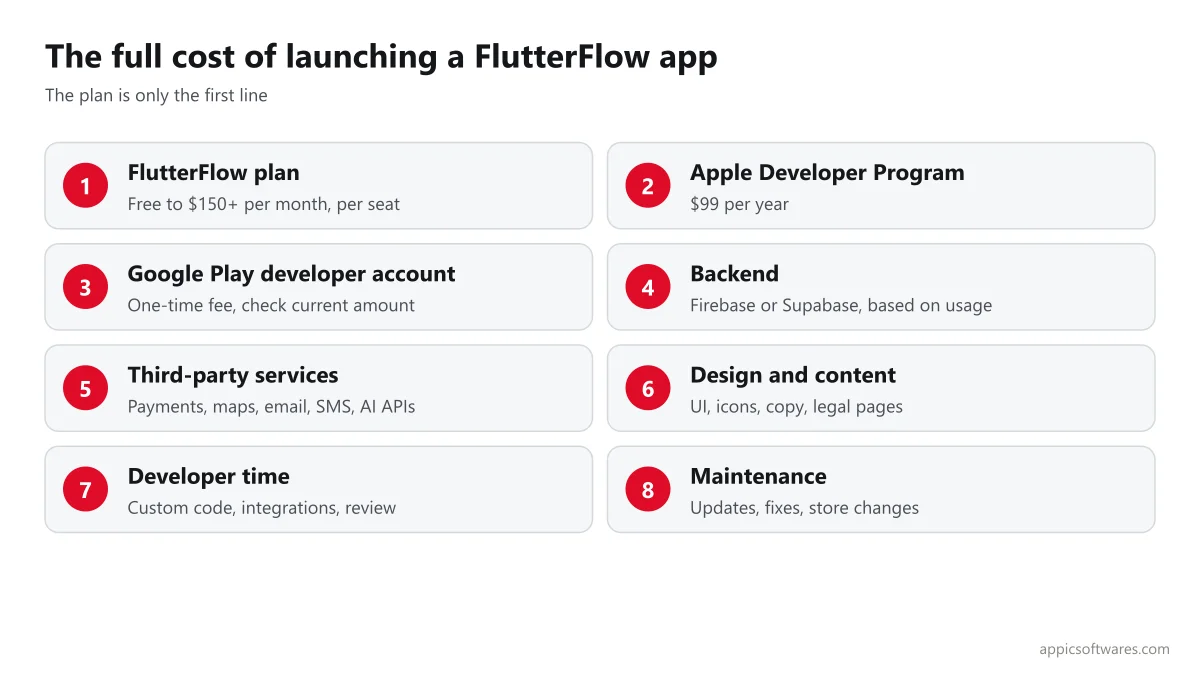
The FlutterFlow plan builds the app. Launching and running it adds other costs.
- Apple Developer Program: $99 per year to publish on the App Store (Apple). Eligible nonprofits, schools and government entities can request a fee waiver.
- Google Play developer account: a one-time registration fee, which has historically been $25. We did not re-check it, so confirm the current amount with Google.
- Backend: Firebase has a no-cost Spark plan and a pay-as-you-go Blaze plan, with free quotas such as 1 GiB of Firestore storage and 50K authentication users per month (Firebase pricing). Supabase has a Free plan and a Pro plan from $25 per month, which includes 8 GB of database disk, 250 GB of egress and 100,000 monthly active users, with overage charges (Supabase pricing).
- Third-party services: payments (fees per transaction), email, SMS, maps, analytics and AI APIs.
- Design and content: UI design, icons, images, copy and legal pages.
- Developers: custom code, integrations and fixes when a feature goes beyond the visual builder.
- Maintenance: FlutterFlow, Flutter and operating system updates, bug fixes and store review changes.
How can you keep FlutterFlow costs down?
- Start on Free to validate screens and flows, then move to Basic when you need code download, a custom domain or store deployment.
- Pay for extra seats only while people are actively building. Seats are billed per user.
- Choose a backend plan that matches real usage, and check usage monthly.
- Reuse components and templates. See our guide to FlutterFlow templates, free and paid.
- Budget for a developer review before launch, which is cheaper than fixing a launch-day failure.
- Check annual billing, which the pricing page says saves about 25%, if you are sure you will use it for the year.
Free FlutterFlow MVP estimate: share your features and users. We will tell you which plan you need, what extra costs to expect and a cost range for the first version. Request your estimate
When is FlutterFlow not enough?
FlutterFlow suits MVPs, internal tools and many standard apps. Consider custom Flutter or native development when you need heavy real-time features, complex offline sync, advanced device features, strict performance targets or very custom logic. FlutterFlow lets you download code on paid plans, which helps if you later move to a developer team. For comparisons with other builders, see FlutterFlow vs Draftbit and Thunkable vs FlutterFlow.
How Appic helps with FlutterFlow projects
Appic Softwares has built custom software since 2018, with offices in Jaipur (India), Frisco, Texas (USA) and Munich (Germany), and holds a 5.0 rating on Clutch from 24 verified reviews. Our FlutterFlow development company team builds apps and MVPs, and we offer FlutterFlow MVP development and FlutterFlow and Firebase developers. Related guides: FlutterFlow Firebase integration, Supabase with FlutterFlow and questions to ask before hiring FlutterFlow developers. Our average rate is about $35 per hour, and typical projects start around $10,000.
What changed from the earlier version of this post?
The earlier version, published in 2024, listed the old Free, Standard, Pro and Teams plans with prices of $30, $70 and $70 per month, which no longer match FlutterFlow's pricing page. This update uses the current plan names and prices, explains per-seat billing with worked examples, covers hidden costs and adds a plan chooser.
Ready to build your app with FlutterFlow? Send us your idea, features and timeline. We will reply with a plan, the costs to expect and a build estimate you can review with your team. Talk to our team
Frequently Asked Questions
How much does FlutterFlow cost per month?
FlutterFlow's pricing page shows Free at $0, Basic at $39, Growth at $80 for the first seat and $55 for the second, and Business at $150 for the first seat and $85 for seats 2 to 5, all per month. Enterprise pricing is custom. The page says annual billing saves about 25%. Check the page for current prices.
Is FlutterFlow free to use?
Yes, there is a Free plan. It allows up to 2 projects, 10 Lite credits and 5 AI requests in total, with web publishing on free subdomains. To get code download, APK download, a custom domain and one-click app store deployment, you need a paid plan such as Basic.
Do you need a paid plan to publish a FlutterFlow app to the App Store?
One-click app store deployment is listed as a Basic plan feature, and the Free plan covers web publishing on subdomains. You also pay Apple's developer fee of $99 per year to publish on the App Store, plus a Google Play registration fee for Android. Check FlutterFlow's current plan details before you subscribe.
What is the difference between the Growth and Business plans?
Growth supports real-time collaboration for 2 users and adds GitHub integration, 2 open branches, localization and API imports. Business supports up to 5 collaborators and adds 5 open branches, up to 3 automated tests, Figma frame import, custom typography and CLI access, with higher monthly credits and AI requests.
Are there hidden costs with FlutterFlow?
Yes. Beyond the plan, expect Apple and Google developer fees, backend usage on Firebase or Supabase, third-party services such as payments and maps, design work, developer time for custom features and ongoing maintenance. Total cost depends on your app, so estimate these items before you start.
Is FlutterFlow worth it for a startup MVP?
For many MVPs, yes. It can shorten build time and the Basic plan costs $39 per month. The risk is hitting limits with complex features or performance needs. Plan for a developer review, a backend that scales and the option to download code and continue in Flutter if the product grows.
Related Articles

Top 10 FlutterFlow Development Companies
In the fast-paced world of mobile app development, FlutterFlow has become a revolutionary platform that lets developers make apps that work on many devices. Businesses looking for efficient and scalable solutions have paid much attention to FlutterFlow because of its easy-to-use design and powerful features. As the need for FlutterFlow experts grows, it becomes more […]

FlutterFlow Revenuecat: A Complete Guide
Mobile app development is a field that is always changing, so it’s important to stay ahead of the curve. FlutterFlow and RevenueCat have joined forces to make it easier for developers to make and sell mobile apps. As we move into 2024, makers who want to get the most out of their apps need to […]

FlutterFlow Web App Development: How to Build and Publish, Limits to Know and When It Fits
In the ever-evolving landscape of software development, FlutterFlow emerges as a versatile tool for crafting both mobile and web applications. With its foundation built on Flutter, Google’s UI toolkit, FlutterFlow offers developers a low-code platform to streamline the development process. In this comprehensive guide, we’ll explore the intricacies of FlutterFlow web app development, from enabling […]

Top 9 FlutterFlow Apps Build In 2025
Do you know there were 3.3M Visitors on FlutterFlow.io till March 2025? Thus, if you, too, are one of them and are planning to create a FlutterFlow app and looking for apps that were built on FlutterFlow, then you are in the right place. We have done the hard work for you and can compile […]

Top 10 Apps Build With FlutterFlow & Cost Of Development 2025
Businesses and entrepreneurs are using no-code platforms like FlutterFlow to quickly and affordably realize their app ideas in the fast-paced digital world of today. Apps built with FlutterFlow exemplify the platform’s power, showcasing how visual development can transform ideas into tangible products. The ability to construct cross-platform mobile applications without requiring a great deal of […]

8 Easy Steps For FlutterFlow Firebase Integration In 2025
FlutterFlow’s integration with Firebase makes it simple to add sophisticated features like user authentication, cloud storage, and databases. This setup guide will show you how to integrate Firebase and FlutterFlow so that you can easily make apps that are feature-rich and scalable. Step By Step Guide To Firebase FlutterFlow Integration Step 1: Create A New […]